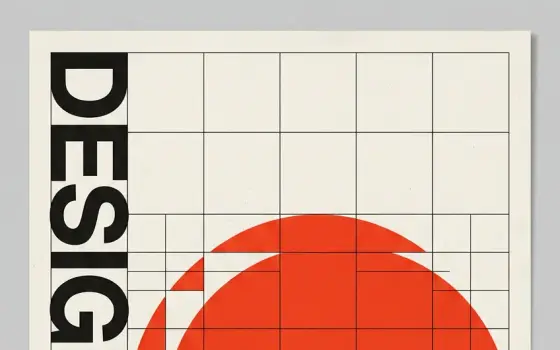
Above: three common layouts for an interactive site, a page, a site and a .
Interactive website design is an essential part of a successful online presence. With most businesses and organisations online, it is important to make sure your website stands out. An interactive website is one that engages and responds to its users, creating a more enjoyable and meaningful experience. The design should focus on usability, accessibility and visual appeal. A good web design agency or developer brings the tools and expertise to build a site that not only looks good but also works well and keeps users engaged.
Cost of an Interactive Website
The cost of building an interactive website varies with its complexity. As a typical market range, a bespoke interactive website from a UK agency may cost £ ,000 to £100,000. The more custom features a site has, such as personalisation that tailors content and recommendations to each user's preferences and behaviour, the higher the cost. A simpler site with a few interactive features, such as forms or a calculator, usually costs much less.
What is an Interactive Website?
An interactive website is a website that lets users actively engage and take part, beyond simply consuming information. These websites typically provide features such as forms, quizzes, games, calculators, polls, surveys, chatbots, live chat, forums and social media integration that let users interact with the site, other users or the website owners.
Interactive websites are designed to increase user engagement and satisfaction and to provide a more personalised experience. They also let website owners gather data on user behaviour, preferences and interests, which can be used to improve the website and provide more relevant content and features.
Examples of interactive websites include online marketplaces, e-commerce sites, social media platforms, educational platforms, news sites and entertainment sites.
Elements of an Interactive Website
Several elements make a website interactive, including:
User Interface (UI): the user interface is the graphical interface that lets the user interact with the website. It includes the layout, buttons, menus, forms and other interactive elements.
User Experience (UX): the user experience is how the user interacts with the website and how the website responds to the user's actions. It includes the website's design, functionality and usability.
Navigation: navigation is the system that lets the user move around the website. It includes the menu, links, buttons and other elements that help the user find the information they need.
Feedback: feedback is the response the website gives to the user's actions. It can include messages, animations, sounds and other interactive elements that let the user know what is happening on the website.
Personalisation: personalisation lets the website adapt to the user's preferences and behaviour. It can include personalised recommendations, personalised content and other features that make the website more relevant to the user.
Social Media Integration: social media integration connects the website with social media platforms and lets the user share content on them. It can include social media buttons, share buttons and other features that make sharing easy.
Multimedia Elements: multimedia elements, such as images, videos and audio, can make the website more engaging and interactive. They can be used to provide information, showcase products or entertain. If you need these assets, you can make short clips yourself with the AI video generator and voice-overs with the AI voice generator.
Overall, an interactive website should give the user a smooth experience, making it easy to navigate, find information and interact with the website.
Examples of Interactive Website Layouts
The examples below show common page types: a chequered blog, a freelancer home page, an app showcase, a masonry portfolio, a shop home, a product showcase, a blog home, interactive links, a portfolio carousel, an architecture studio, a designer home page and a metro-style shop.


Inner pages need the same care as the home page. Product, contact and blog pages are often where most interactions happen.


How to Keep an Interactive Website on Budget
Decide which interactive features actually serve your visitors before you brief anyone. Each custom feature adds design, build and testing time. Ask agencies or developers to price features separately so you can see where the money goes, and plan for hosting and maintenance as well as the build.
Whoever builds the site, you will need visuals to fill it. You can make hero images and illustrations yourself with the AI image generator and turn a still into a short moving banner with image to video. See all tools and pricing.