
P-Image Edit
The quickest and cheapest editor, for simple changes.
- What it is
- Image editor
- Made by
- Pruna
- Price
- From 1 token
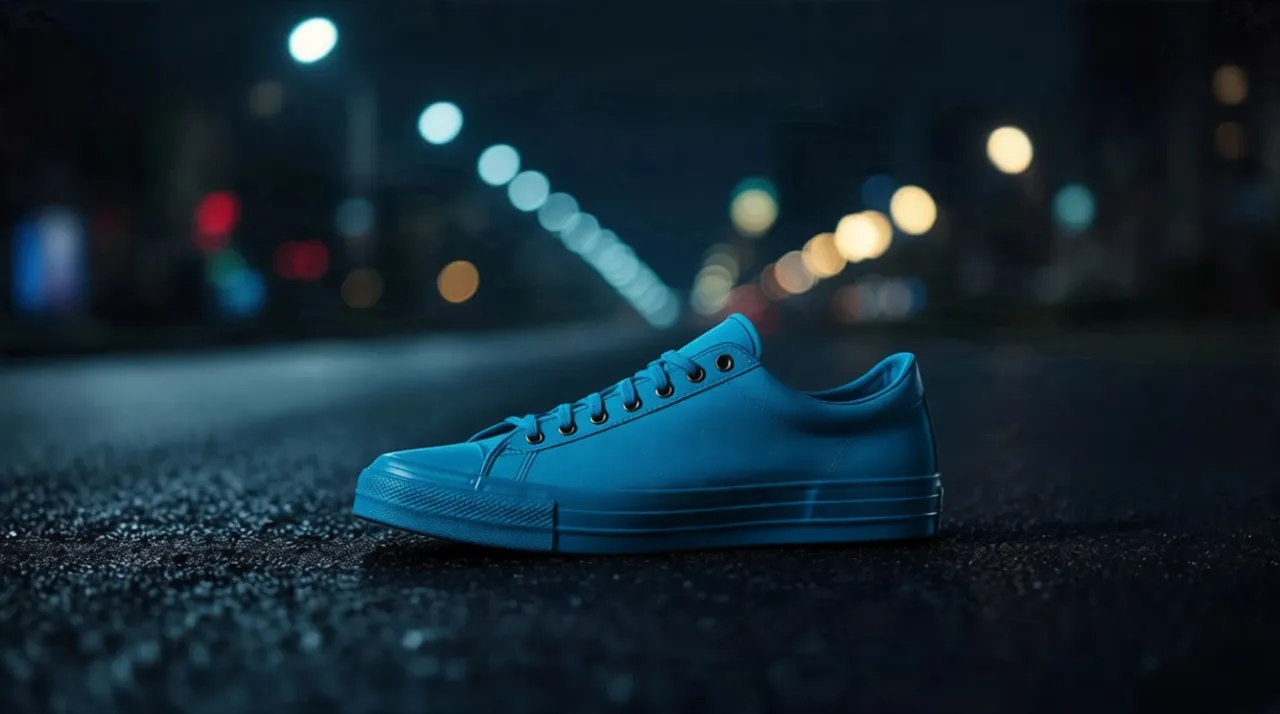
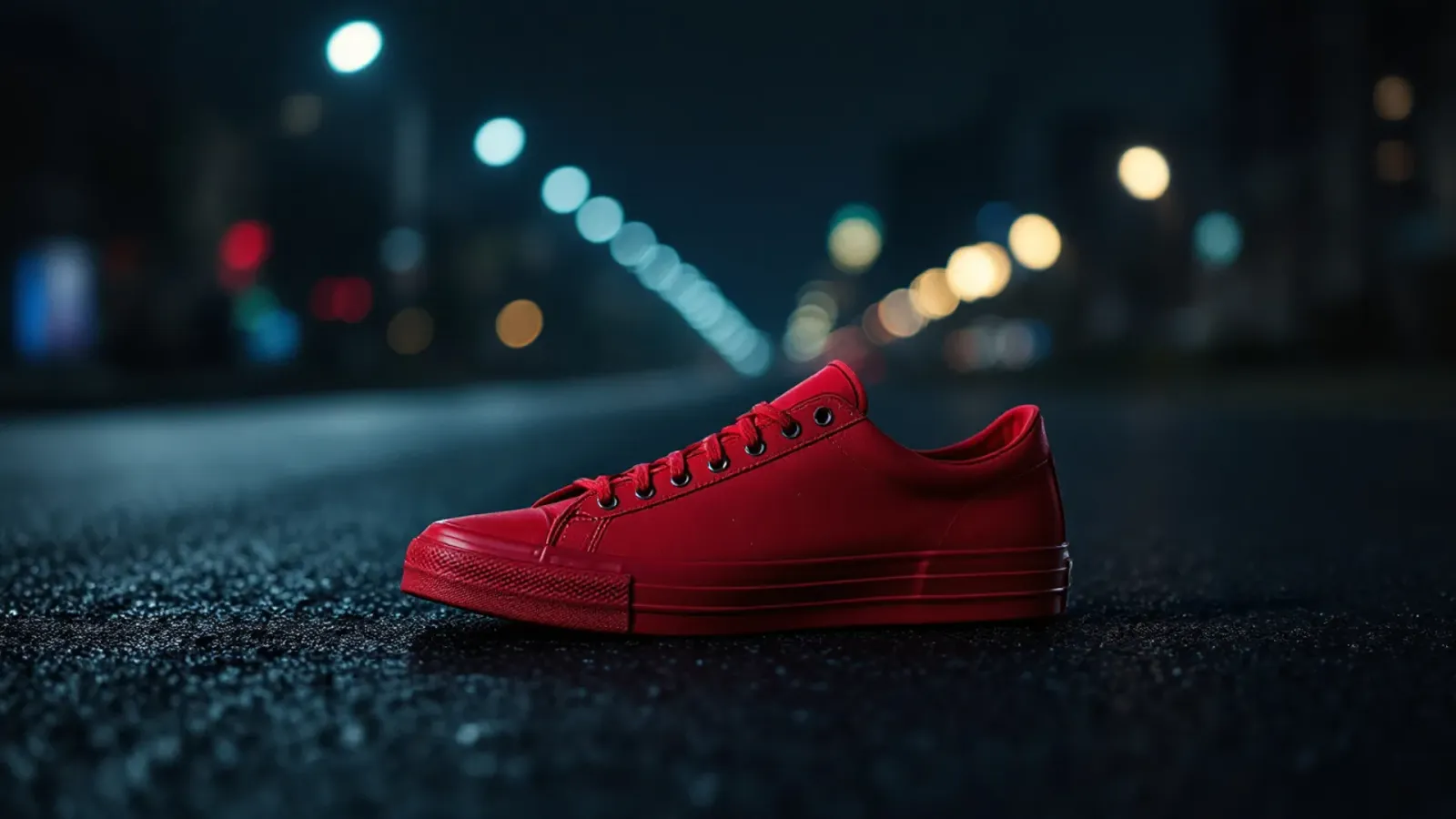 BeforeAfter
Asked for: Change the colour of the shoe to bright cobalt blue. Keep everything else exactly the same.
What P-Image Edit is
P-Image Edit is the editing side of P-Image. It makes a simple change to your picture in about five seconds for one token.
Strengths and weaknesses
No model is best at everything. This is where P-Image Edit earns its place, and where another model will serve you better.
Where it is strong
- One token an edit.
- The fastest editor here: 5 seconds in our test.
- Kept the framing and the background as they were.
Where it falls short
- Colour is approximate. Asked for cobalt blue, it gave teal.
- For simple changes only. Hard edits need Nano Banana 2 or Pro.
Best for
- Quick, simple changes
- Trying an edit before running it on a stronger model
Pick another model when
- The result has to be exactNano Banana 2 →
Where you can use it
7 places in the studio run this model. The link opens the tool; the price is shown again before anything is charged.
Compare with
Other image models in the studio, each with its own samples and notes.
 Google · ImageNano Banana 2Google's all-rounder. It follows long instructions closely, writes words inside pictures well and changes only what you ask.from 3 tokensSee samples
 ClarityAI · ImageClarity CrystalFaithful enlargement: faces, products and text stay as they are, only sharper.from 5 tokensSee samplesClarityAI · ImageClarity CreativeAn upscaler that redraws fine detail. Lovely on photos, landscapes and art; wrong for anything with text.from 5 tokensRead more
 Bria · ImageBria RMBG 2.0Clean cut-outs with soft edges and hair, as a transparent PNG.from 3 tokensSee samples
Questions
Something else? Ask us.
How much does P-Image Edit cost on ideahits?
P-Image Edit costs 1 token a picture in AI image editor; 1 token a picture in the background replacer; 1 token a picture in the object remover; 1 token a picture in the photo restorer; 1 token a picture in the style changer; 1 token a picture in the relight; 1 token a picture in the sketch to image. You pay with tokens from one balance that works on every model, and the price is shown before each run. A run that fails is refunded.
What is P-Image Edit best for?
Quick, simple changes; Trying an edit before running it on a stronger model. Consider Nano Banana 2 when the result has to be exact.
Do I need an account with Pruna to use P-Image Edit?
No. P-Image Edit runs inside the ideahits studio. One ideahits account and one token balance cover every model here.
Can I use what P-Image Edit makes for commercial work?
Yes. What you make in the studio is yours to use, including in adverts, on products and for clients.



Try P-Image Edit.
Create an account, pick a pack from $6, and drop in a picture.
10 free tokens to start